

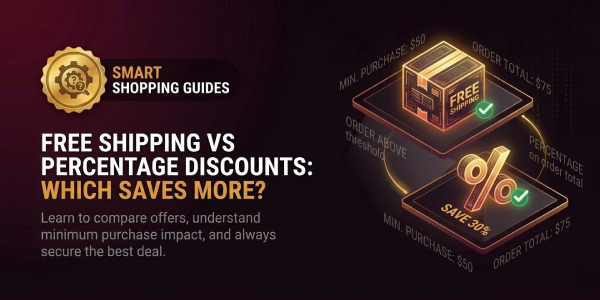
Free Shipping vs Percentage Discount: Which Saves More?
Free shipping is better than a percentage discount when the shipping charge you avoid is larger than the dollar value...

Domino's serves pizza, chicken, breads, pastas, sandwiches, desserts and drinks for delivery or carryout. Shoppers can compare Domino's coupon codes with national deals, local store coupons and Domino
Browse current offers below and review each deal's terms, eligibility, and end date before checkout.
Carry out all pizzas with 1 topping from Domino's for just $7.99 by using the code at checkout.
Get Medium 2-topping Handmade Pan Pizzas from Domino's for just $8.99 by using the code at checkout.
Get Any 2 or More for $6.99 Each; Choose From Medium 2-topping Pizzas, Bread, Salads, Boneless Chicken, Sandwiches, Pastas or Desserts.
Apply the code at checkout and get a flat 20% discount on any purchase from Domino's.
Domino's coupon codes are one way to save, but the official website also features national deals, local store coupons and Domino's Rewards. Because Domino's states that prices, participation, delivery areas and charges can vary by store, the most reliable approach is to select the correct location first and compare what is actually available for that order.
Historical Domino's promo codes can show the kinds of promotions the brand has used before, but an older checkout code, discount or limited-time offer should not be treated as current. Confirm any promotion on Domino's official website, app or checkout before depending on it.
Domino's has a dedicated coupons and deals area on its official website. It also directs shoppers to local coupons after they choose a nearby restaurant. This matters because a deal displayed for one store may differ from what another location offers.
Before placing an order:
The official deal pages also warn that some promotions require the customer to choose the offer and that participation can vary. Reading the offer details is therefore more useful than assuming a Domino's discount code will apply automatically.
When Domino's provides a promo code or selectable deal, follow the instructions attached to that promotion rather than relying on an old coupon description.
If a promotion does not apply, return to the offer details and confirm that the selected store participates and that the cart matches the stated requirements. Domino's notes that delivery minimums and delivery charges can apply, while store-level pricing and participation may vary.
Domino's Rewards is the brand's loyalty program. Domino's says members can earn points on qualifying orders and redeem points for eligible menu rewards. The current official experience also promotes the ability to earn free Domino's after repeat qualifying orders.
Rewards can be useful for regular customers, but they should be treated separately from a coupon. A points redemption, a national deal and a local store coupon can each have their own rules. Sign in before ordering so the account can show available rewards and current member options.
For a repeat-order saving routine:
Domino's supports both delivery and carryout ordering. Some offers are specifically tied to carryout, while delivery orders can be subject to local delivery minimums and delivery charges. That means the cheaper route can depend on the current store, offer and order size.
If both fulfilment methods work for you, compare them before payment. A carryout promotion may have different terms from a delivery deal, and a local store can have different pricing or participation. The official checkout is the best place to confirm the exact total for the chosen location.
This comparison is especially useful when a headline deal looks attractive but the selected crust, toppings or other menu choices change the price. Domino's deal terms note that certain items or upgrades can cost extra, so the final basket should be checked carefully.
Domino's menu includes build-your-own and specialty pizzas alongside breads, chicken, desserts, oven-baked pastas, oven-baked sandwiches, salads and drinks. Menu availability can vary by market and store, so shoppers should use the menu shown for their selected location as the current source of truth.
When comparing a Domino's offer, focus on whether it covers the exact items you want rather than only the headline wording. A deal built around multiple items can be useful for a group order, while a different offer may suit a smaller carryout purchase. The value depends on the live menu, store and order.
Use a simple final check before paying:
Domino's gives shoppers several possible saving routes, but the details are store-specific and can change. Comparing current deals, local coupons, rewards and the final checkout total is more dependable than relying on an unverified code from an older promotion.
Free shipping is better than a percentage discount when the shipping charge you avoid is larger than the dollar value...
Retailers offer coupon codes because a code lets them **change the price for a specific situation without permanently...
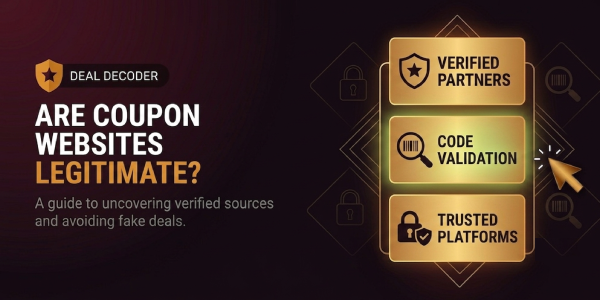
Yes. Coupon websites can be legitimate businesses that help shoppers discover retailer promotions, deals and codes. ...
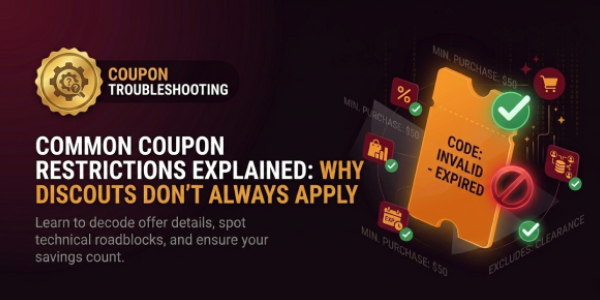
Coupon restrictions are the conditions a retailer attaches to a promotion to decide **which order, customer, product,...
If a coupon code is not working, start with the **error message and the cart**, not with another list of random codes...
No published shopper reviews yet.