

New-customer offer available
Some offers are reserved for first orders or new customers, so check the eligibility before you use one.

AOMEI provides Windows backup, cloning, partition-management and recovery software with different individual and business editions. Some licenses renew annually, while selected lifetime packages inclu
Browse current offers below and review each deal's terms, eligibility, and end date before checkout.
Save up to 80% on selected AOMEI software bundles covering Windows backup, partition management and data recovery tools. The official store lists a multi-product individual bundle at $79.95 and a...Save up to 80% on selected AOMEI software bundles covering Windows backup, partition management and data recovery tools. The official store lists a multi-product individual bundle at $79.95 and a family bundle at $199; compare the included licenses and PC limits before buying.
The AOMEI is live on the website and for the first time, you can get the AOMEI family bundle at a 20% discount. Visit now before the sale ends.
Secure your data with the AOMEI Backupper Professional 2-license package. Enjoy lifetime upgrades for 1 PC per license and get this bundle for just $74.95, down from $139.90. A cost-effective solution...Secure your data with the AOMEI Backupper Professional 2-license package. Enjoy lifetime upgrades for 1 PC per license and get this bundle for just $74.95, down from $139.90. A cost-effective solution for long-term backup and recovery protection.
Protect up to 5 PCs with the AOMEI Backupper Professional Family lifetime license. Get lifetime upgrades and advanced backup features for just $89.95, reduced from $349.75, and enjoy long-term data...Protect up to 5 PCs with the AOMEI Backupper Professional Family lifetime license. Get lifetime upgrades and advanced backup features for just $89.95, reduced from $349.75, and enjoy long-term data security with substantial savings.
Maximize your savings with AOMEI’s bundle offer. Purchase two or more workload solutions together and enjoy up to 30% off with fixed pricing. A great way to protect multiple systems while reducing...Maximize your savings with AOMEI’s bundle offer. Purchase two or more workload solutions together and enjoy up to 30% off with fixed pricing. A great way to protect multiple systems while reducing overall costs.
Enjoy a 30% discount on your purchase at AOMEI. Use the code at checkout to avail this offer.
AOMEI Backupper Yearly promotion. Valid through 2027-03-30 16:00:00.0 unless the merchant changes the promotion earlier. Some exclusions, regional limits, or minimum purchase requirements may apply.
AOMEI Backupper Lifetime promotion. Valid through 2027-03-30 16:00:00.0 unless the merchant changes the promotion earlier. Some exclusions, regional limits, or minimum purchase requirements may apply.
Unlock lifetime access to AOMEI’s powerful backup and data management solutions at a reduced price. Enjoy a one-time purchase with long-term value and an exclusive 25% discount on your lifetime...Unlock lifetime access to AOMEI’s powerful backup and data management solutions at a reduced price. Enjoy a one-time purchase with long-term value and an exclusive 25% discount on your lifetime license.
Get reliable backup, recovery, and data protection tools with an AOMEI yearly license. Enjoy an extra 10% discount on your annual subscription and secure your devices for less.
A quick look at the details that can make one offer a better fit for your order than another.
Some offers are reserved for first orders or new customers, so check the eligibility before you use one.
Some savings apply only to selected products, plans, or customers. Check the offer details before checkout.
AOMEI sells several types of Windows utilities rather than a single all-purpose program. Backupper focuses on scheduled backups, restoration, synchronization and disk cloning. Partition Assistant is used for managing drive partitions and storage layouts, while the company's other product lines address recovery, mobile-device files and business backup. A percentage-off voucher is meaningful only when it applies to the software you actually intend to install.
If you are replacing a backup program, compare the job it performs before comparing annual prices. EaseUS backup and recovery offers are a relevant alternative, but data recovery after losing files is not the same as having a tested backup made beforehand. Check each product's supported operating systems and tasks.
Backupper Professional is aimed at Windows PC use, while Workstation and Technician editions include different licensing or business capabilities. AOMEI's product store distinguishes personal and team deployment, and higher editions may offer features intended for managing commercial equipment. A cheaper personal license should not be used as a substitute for a required business or technician license.
Before paying, check the edition name, number of allowed computers, rights to use it for clients and whether server operating systems are supported. Business deployments should compare the correct product and device count rather than guessing that a family license covers a company. The product table in the official store is more reliable than an older coupon title.
AOMEI's official store offers yearly and lifetime options for certain products. A yearly Backupper plan automatically renews until canceled; the merchant says you can stop future renewals before the next billing date. Certain lifetime products include lifetime use and upgrades, but the rights and supported number of PCs depend on the selected license.
Work out the cost over the period you expect to use the software. A lower first-year fee can be sensible for a short project, while a properly licensed lifetime option might cost less after multiple renewals. Avoid assuming that a coupon for a yearly edition also discounts the lifetime or family bundle.
Creating a system image lets you restore a working system or selected files if the original disk later fails. A disk-cloning tool copies one drive to another, for example during a storage upgrade. Partition management, in contrast, changes how capacity and volumes are arranged. These functions can overlap between products but do not automatically provide the same protection.
For drive management rather than a routine backup, Paragon Software disk-management offers provide a separate comparison. Whatever utility you choose, store an independent backup before modifying partitions, and confirm that a bootable recovery path is available for your edition.
Some Backupper pricing options combine an annual software license with AOMEI cloud storage. Those subscriptions can differ from a locally installed backup tool purchased alone. Confirm the storage allocation, upload restrictions, renewal period and which accounts or devices may use the plan. Paying for cloud capacity you will not use can outweigh the advertised software saving.
A family package can cover more devices than a single-PC license, but only under that plan's published terms. When comparing storage choices, O&O Software system-utility deals can help evaluate another Windows software publisher without assuming that subscriptions, technical support or cloud features are interchangeable.
DealsDasher retains AOMEI promotional cards for yearly renewals, lifetime licensing and bundle discounts. Some codes are named for earlier campaigns, and the stored CJ affiliate link currently reaches a 24-hour flash-sale landing page. Neither the name of the page nor a far-future coupon expiration date proves that today's cart qualifies for the same price or software edition.
Compare the selected license's full order summary with the standard product price, including local sales tax or VAT where applicable. AOMEI notes that the e-commerce service provider can add location-dependent tax at checkout. If a code does not apply to your chosen edition, do not switch to a different license solely to unlock a large headline percentage.
AOMEI's published store information says download links, license keys and an electronic invoice are normally emailed after successful processing. It also describes a 90-day money-back guarantee for applicable direct purchases. Review the merchant's exact refund terms and retain the order email and activation details before reinstalling on a replacement computer.
For mail-specific archives rather than full Windows images, Mail Backup X offers provide a different software category. A mail-archive purchase should not be treated as a replacement for a complete system or disk backup. Always test that you can restore what matters from the backup you create.
Identify the desired task, operating system, edition and number of PCs. Decide whether local backup, additional cloud storage or business rights are needed, then compare yearly and lifetime totals. Confirm the active campaign's actual price, whether the code was accepted and what future renewal applies to the purchase.
Finally, retain the digital invoice, license key and refund policy, and make a small test backup and restore. A discounted subscription that does not solve your recovery needs can be more costly than choosing the correct edition at its normal price.
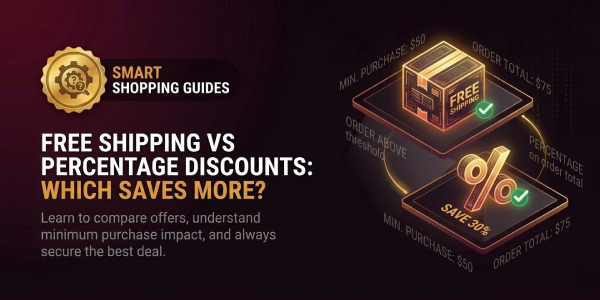
Free shipping is better than a percentage discount when the shipping charge you avoid is larger than the dollar value...
Retailers offer coupon codes because a code lets them **change the price for a specific situation without permanently...
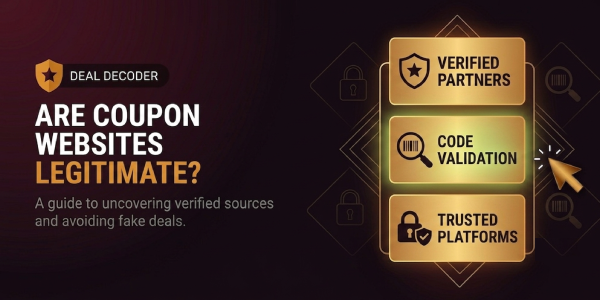
Yes. Coupon websites can be legitimate businesses that help shoppers discover retailer promotions, deals and codes. ...
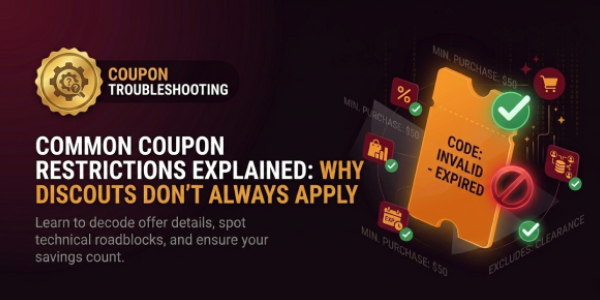
Coupon restrictions are the conditions a retailer attaches to a promotion to decide **which order, customer, product,...
If a coupon code is not working, start with the **error message and the cart**, not with another list of random codes...
No published shopper reviews yet.