
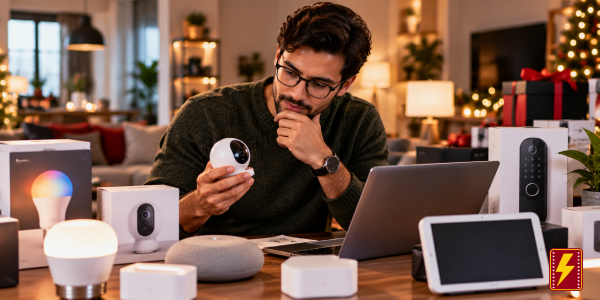
- Treat compatibility as part of the Black Friday price: controllers, bridges, Thread Border Routers, subscriptions and installation can cost more than the device.
- Matter improves cross-platform interoperability, but buyers still need to check transport, controller and feature support for the exact product.
- Compare smart cameras, doorbells and other subscription devices by multi-year ownership cost rather than the sale price alone.
- Give extra value to local control, software support and obvious manual controls so the smart home remains usable during outages and ecosystem changes.
- Use coupons, promo codes and bundles only after the device fits the home’s existing ecosystem and network infrastructure.
A smart-home device can be cheap at checkout and expensive everywhere else. A discounted door lock may need a separate hub. A Thread sensor may need a Thread Border Router you do not own. A security camera can become a monthly subscription. A smart bulb may work perfectly in one app but refuse to join the automation platform the rest of your home uses.
That is why Black Friday smart-home shopping should begin with compatibility, not the discount percentage. The useful question is not simply “Is this device on sale?” It is “What else must be true for this device to work properly in my home?” The main Black Friday buying guide explains how to put those extra costs beside the price of other planned purchases.
When you count controllers, bridges, subscriptions, network coverage, installation and the ecosystem you already use, many apparently similar deals stop being comparable. One product may cost more up front but integrate cleanly. Another may look cheaper until you add the hardware or monthly fee needed to make it useful.
Start with the home you already have
Before buying anything, write down the systems already controlling your home.
That can include:
- Apple Home;
- Google Home;
- Amazon Alexa;
- Samsung SmartThings;
- brand-specific hubs;
- Wi-Fi router or mesh system;
- existing Zigbee or Z-Wave devices;
- Thread Border Routers;
- security-system hubs.
The point is not to commit permanently to one brand. It is to understand the infrastructure you already paid for.
Matter helps, but it does not erase every compatibility question
The Connectivity Standards Alliance describes Matter as a common smart-home standard designed to make devices work across major platforms. Matter uses familiar networking technologies including Wi-Fi, Ethernet and Thread, with Bluetooth Low Energy commonly used during setup.
That improves interoperability, but a Matter logo does not mean every feature behaves identically in every platform.
Before buying a Matter device, still check:
- whether your preferred platform supports that device type;
- whether the product uses Wi-Fi, Ethernet or Thread;
- whether you already have the controller or border-router hardware it needs;
- whether advanced brand-specific features require the manufacturer's own app.
Matter is a protocol, not a replacement for your smart-home platform
This distinction saves a lot of confusion.
Matter does not replace Apple Home, Google Home, Alexa or SmartThings. It gives compatible devices a common way to participate in those ecosystems.
You still choose where you control routines, voice commands and household access.
Thread and Matter are not the same thing
A product can support Matter and communicate over Thread.
Thread is the low-power mesh network carrying the device's traffic. Matter is the application-layer standard allowing ecosystems and devices to understand each other.
A Thread device normally needs access to a Thread Border Router to connect the Thread network with the rest of the home network.
Before buying a Thread-based Black Friday deal, ask:
- Do I already own a compatible Thread Border Router?
- Is it active in the ecosystem I use?
- Will this device join the same Thread network as my current equipment?
If the answer is no, include the required controller hardware in the deal price.
A $25 sensor plus a $100 hub is not a $25 purchase
This is the smart-home version of hidden accessory cost.
Build the real price from:
- device;
- hub or bridge;
- controller;
- subscription;
- installation;
- batteries;
- mounting hardware;
- network upgrade if required.
If a competitor's $45 sensor works with hardware you already own, it may be the cheaper deal.
Bridges are not automatically bad
Some buyers see a hub or bridge as old-fashioned because Matter aims to simplify cross-platform smart homes.
But a bridge can still be useful when it:
- keeps many low-power devices off Wi-Fi;
- supports an established lighting or sensor ecosystem;
- allows older Zigbee devices to participate in Matter;
- provides local control;
- reduces reliance on individual cloud connections.
The Connectivity Standards Alliance specifically supports bridges as a way for technologies such as Zigbee or Z-Wave to participate in Matter ecosystems.
The useful question is not “Does this need a hub?” It is “What does the hub give me, and do I already own it?”
Black Friday starter kits can be better value than buying pieces individually
If you are entering an ecosystem for the first time, a starter kit can make sense when it includes the infrastructure you actually need.
A good kit might bundle:
- bridge or hub;
- two or more useful devices;
- power supply;
- mounting accessories.
A poor kit includes extra devices you would not have bought separately.
Count only the components that solve a real need.
Lighting: start with switches versus bulbs
Smart bulbs are easy to understand, but they are not always the best long-term solution.
Smart bulbs make sense when:
- you want color changing;
- you rent and cannot change wiring;
- you need independent control of lamps;
- you want an inexpensive way to test smart lighting.
Smart switches make more sense when:
- the fixture uses several bulbs;
- family members keep turning the wall switch off;
- you want ordinary manual control to remain obvious;
- you are automating permanent ceiling lights.
If you are replacing fixtures or lighting hardware anyway, 1StopLighting promo codes may be worth comparing, while lighting deals at DealsDasher can help when the purchase extends beyond one smart bulb.
Do not mix five lighting ecosystems because each bulb was cheap:
One $8 bulb from each brand can eventually mean:
- five apps;
- different firmware-update processes;
- inconsistent scenes;
- multiple account systems;
- different reset procedures.
Black Friday is a particularly easy time to create this problem because multipacks and clearance offers make experimentation cheap.
Standardization has value.
Smart plugs: boring compatibility is a feature
A smart plug should turn something on and off reliably.
Check:
- maximum load;
- outlet shape;
- whether it blocks the neighboring socket;
- energy monitoring if you care about it;
- local scheduling;
- Matter support;
- platform compatibility.
Do not pay for complex automation features if the plug is only controlling holiday lights.
Thermostats: wiring matters more than the sale
A smart thermostat can be a poor impulse purchase because compatibility begins behind the wall.
Before buying, check:
- HVAC type;
- number of heating/cooling stages;
- heat pump support;
- C-wire requirements or adapters;
- multi-zone setup;
- voltage;
- installer requirements.
A discounted thermostat that cannot control your system is not a deal.
Do not assume a thermostat will pay for itself on the same schedule for every home:
Energy savings depend on:
- climate;
- insulation;
- household schedule;
- existing thermostat behavior;
- HVAC efficiency;
- utility rates.
Buy because the controls and automation make sense first. Treat future savings as dependent on actual usage.
Security cameras: calculate three years, not one sale price
A camera is one of the clearest examples of recurring smart-home cost.
Compare:
- purchase price;
- cloud recording subscription;
- local-storage option;
- number of cameras covered by the plan;
- event-history duration;
- person/package/vehicle detection;
- battery replacement or charging;
- mounting.
A $50 camera with a $10 monthly plan costs $410 over three years before taxes or accessories.
A $120 camera with useful local storage may be less expensive over the same period.
Video doorbells have the same subscription problem
Ask what happens without the subscription.
Can you still:
- answer live video;
- receive motion alerts;
- view recorded clips;
- identify packages;
- save locally;
- share access?
Do not evaluate only the hardware price.
Smart locks: the physical lock still matters
A smart lock is not merely an app-controlled gadget.
Check:
- door thickness;
- existing deadbolt alignment;
- backset;
- key backup;
- battery type;
- remote-access requirements;
- auto-lock behavior;
- guest-code support;
- platform compatibility.
Think about failure modes
Ask what happens when:
- the battery dies;
- the internet is down;
- the phone is lost;
- the cloud service is unavailable.
A smart lock should make access easier without making ordinary failure more stressful.
Robot vacuums: compare navigation and maintenance, not only suction
Black Friday often produces large percentage discounts on robot vacuums.
The ownership cost includes:
- replacement brushes;
- filters;
- dust bags;
- mop pads;
- cleaning solution;
- battery replacement;
- dock space.
Also check whether mapping, no-go zones and multi-floor support match your home.
Smart blinds and shades: measure twice because returns can be painful
Motorized window coverings can be expensive even on sale.
Before ordering:
- measure exact opening width and height;
- confirm inside versus outside mount;
- check power method;
- check controller requirements;
- check Matter/platform support;
- read custom-product return rules.
A made-to-measure product with a large discount is still expensive if the measurement is wrong.
Wi-Fi is smart-home infrastructure
A home full of connected devices depends on a stable network. The Black Friday electronics guide also covers why network equipment should solve a measured problem instead of being upgraded just because the specifications look newer.
Before adding more Wi-Fi devices, ask whether the existing network already has:
- dead zones;
- overloaded access points;
- weak outdoor coverage;
- unstable 2.4GHz performance;
- poor router placement.
If network infrastructure is the real problem, another smart device will not fix it.
Unidatawifi discount codes may be worth comparing when network hardware is genuinely due for an upgrade, and networking and Wi-Fi deals at DealsDasher give you a wider route for comparing routers and related equipment.
Do not replace the router only because a newer Wi-Fi number exists
Upgrade when:
- coverage is poor;
- the router is no longer receiving security updates;
- device count overwhelms the existing system;
- your internet connection is faster than the router can realistically handle;
- you need newer smart-home infrastructure such as better Thread support.
A standard number alone is not a reason to rebuild a functioning network.
Matter-capable routers can simplify future infrastructure
Matter has continued to evolve beyond 1.4. Matter 1.6, released by the Connectivity Standards Alliance in June 2026, adds NFC-based commissioning and new multi-ecosystem management options such as Joint Fabric. That makes the version and the features implemented by the actual device or platform worth checking rather than assuming every Matter product behaves identically.
The goal is to reduce fragmented Thread networks and make the networking layer easier to manage.
That makes router infrastructure worth checking when you plan a larger smart-home expansion, but only buy against actual device requirements rather than promised future compatibility.
Multi-admin is one of Matter's most useful ideas:
The current Matter specification work continues to expand multi-ecosystem management, but real support still depends on the controller, platform and product implementation you own.
Matter supports sharing compatible devices across multiple ecosystems.
That can matter in homes where:
- one person uses an iPhone;
- another prefers Google Home;
- Alexa speakers are already installed;
- SmartThings handles automations.
Enhanced multi-admin features are designed to make that sharing easier.
But check actual platform support for the exact product rather than assuming every advertised Matter capability is implemented everywhere.
Local control deserves extra value
Some smart-home actions can continue working locally when internet service is unavailable. Others depend heavily on cloud services.
For important functions such as:
- lighting;
- locks;
- thermostats;
- basic sensors;
local control can reduce the impact of an internet outage or cloud-service disruption.
Ask what stops working if the manufacturer disappears
This sounds pessimistic, but smart-home products can depend on apps and servers that are maintained by the vendor.
Before buying a less-established brand, check whether:
- basic control works locally;
- Matter support exists;
- a bridge can expose the device to another ecosystem;
- the product requires the vendor cloud for everyday use.
A product with open or widely supported connectivity may survive ecosystem changes better than one controlled entirely by a proprietary service.
Privacy settings belong in the buying decision
For microphones, cameras, doorbells and occupancy sensors, ask:
- what is processed locally;
- what is uploaded to the cloud;
- how long recordings are stored;
- whether you can disable specific features;
- whether two-factor authentication is available;
- how household sharing works.
A large discount does not make an uncomfortable privacy model better.
Security updates have value
Connected devices are computers, even when they look like bulbs or locks.
Look for manufacturers that provide:
- firmware updates;
- clear support documentation;
- security advisories;
- reasonable account-security features.
A product that is cheaper because it is at the end of support may not be the strongest Black Friday buy.
Check whether the “deal” is simply an older generation
Smart-home brands often discount older hubs, cameras and displays heavily when newer versions launch.
Older can still be excellent value.
Buy the previous generation when:
- the features you need are unchanged;
- software support remains strong;
- accessories remain available;
- the price gap is meaningful.
Skip it when the newer model fixes a compatibility, security or subscription limitation you actually care about.
Early-sale prices can make percentage discounts misleading:
Price history matters because the comparison should be against the device's recent ordinary selling price, not only the crossed-out list price shown during a sale event.
For Black Friday, compare:
- current price;
- recent ordinary price;
- previous sale price;
- Black Friday price.
A sale returning a device to its August price is not the same as a new record low.
Bundles can be smart-home gold or smart-home clutter
A camera kit with a hub and two sensors can be excellent value when you need all three.
A speaker bundle with extra plugs you do not need is not worth the full claimed saving.
Assign value only to components already in your plan.
Subscription discounts deserve a renewal check
A security plan may offer:
- free trial;
- discounted first year;
- bundle pricing;
- hardware credit.
Check:
- renewal rate;
- number of devices covered;
- cancellation terms;
- whether features disappear after cancellation.
Home automation works best when manual control still makes sense
A guest should be able to turn on a light without an app tutorial.
A family member should be able to unlock a door without understanding your automations.
When comparing smart devices, give extra value to products that preserve obvious physical controls.
Do not automate a bad process:
Before buying a device, ask what problem you are fixing.
Good smart-home problems include:
- lights regularly left on;
- hard-to-reach lamps;
- temperature changes on a predictable schedule;
- knowing whether a door is locked;
- detecting a leak quickly;
- managing outdoor lights;
- monitoring a package area.
“It was 50% off” is not a home-automation problem.
Use Black Friday to standardize rather than expand randomly
A sale can be a good time to replace several mismatched devices with one interoperable approach.
For example:
- standardize smart plugs;
- move lighting to one ecosystem;
- add Thread infrastructure;
- replace unsupported Wi-Fi hardware.
This can reduce app clutter and make future purchases easier.
Smart-home deals should be tested against a five-year ownership cost
For devices with subscriptions or consumables, build a simple table.
| Cost | Device A | Device B |
|---|---|---|
| Sale price | $60 | $120 |
| Required hub | $80 | $0 |
| Monthly subscription | $8 | $0 |
| Three-year known cost | $428 | $120 |
The higher-priced hardware can be dramatically cheaper to own.
Coupons come after ecosystem fit
Do not select a smart-home device because a promo code exists.
First check:
- platform;
- Matter support;
- Thread or Wi-Fi requirements;
- hub requirements;
- subscription;
- installation;
- local control.
Then compare coupons, discount codes and bundles among devices that actually fit.
If a code refuses to apply because the product is already discounted or the brand is excluded, our guide to common coupon restrictions can help explain the issue.
Shipping and installation can change which store has the best deal
For simple bulbs and plugs, shipping may be the only extra cost.
For thermostats, cameras, locks and wired switches, installation can matter more.
Compare:
- product price;
- shipping;
- professional installation if needed;
- mounting hardware;
- electrical work;
- hub or bridge.
Our guide to free shipping versus percentage discounts can help when the larger advertised discount is paired with a higher delivered cost.
The Black Friday smart-home audit
Before checkout, answer these ten questions:
- Which ecosystem will control this?
- Does the exact model support the platform I use?
- Is it Matter-certified?
- If it uses Thread, do I already have a Thread Border Router?
- Does it need a proprietary hub or bridge?
- What does the subscription cost over three years?
- What still works without internet?
- Will my Wi-Fi cover where it is being installed?
- Can guests or family members still control it manually?
- Would I buy this if the sale badge disappeared?
When paying more is the better deal
A higher device price can make sense when it buys:
- compatibility with hardware you already own;
- Matter certification;
- local control;
- no recurring subscription;
- better software support;
- easier installation;
- stronger privacy options;
- fewer apps and bridges.
When the cheaper device is enough
Save the money when:
- the function is simple;
- it works with your existing ecosystem;
- there is no subscription surprise;
- local control is not important for that use;
- the manufacturer has a reasonable support history;
- you are not creating another hub or app merely to use it.
Choose devices that fit the home, not the sale
A Black Friday smart-home deal is only good when the device fits the home around it.
Check the ecosystem before the discount. Understand the difference between Matter and Thread. Count hubs, bridges, subscriptions, installation and network upgrades in the price. Give extra value to local control, software support and products that continue to make sense when the internet is down.
The smartest purchase is not the device with the lowest Black Friday price. It is the device that joins the rest of your home without creating another expensive system you have to maintain.
Frequently Asked Questions
Does Matter mean every smart-home device works with every platform?
Matter improves interoperability across major platforms, but you should still check the exact device type, transport technology and feature support in the ecosystem you use.
Do I need a hub for Matter devices?
Not always. Some devices work over Wi-Fi or Ethernet, while Thread-based Matter devices need access to a Thread Border Router. Other products may still use a bridge for existing Zigbee or Z-Wave ecosystems.
Is Thread the same as Matter?
No. Thread is a low-power networking technology. Matter is the application protocol that allows compatible devices and platforms to work together.
Are Black Friday smart-home bundles good value?
They can be when the hub and devices are all items you need. Ignore the claimed value of accessories or extra devices you would not have bought separately.
Should I avoid smart-home subscriptions?
Not necessarily. A subscription can provide useful cloud recording or monitoring. Compare the recurring cost with local-storage alternatives and decide whether the paid features are important to you.
Can a smart-home device work without internet?
Some functions may continue locally, while cloud-dependent features may stop. Check the exact product before buying if offline operation matters.
Should I replace old smart-home devices just to get Matter?
Not if the current setup works well. Bridges can allow some older technologies to participate in a Matter ecosystem, and replacing functioning devices may create little practical benefit.
What is the biggest Black Friday smart-home mistake?
Buying a heavily discounted device without checking the ecosystem, hub, subscription and network requirements, then discovering that the “deal” needs additional hardware or recurring fees to work properly.